How to convert Quicken to QuickBooks?
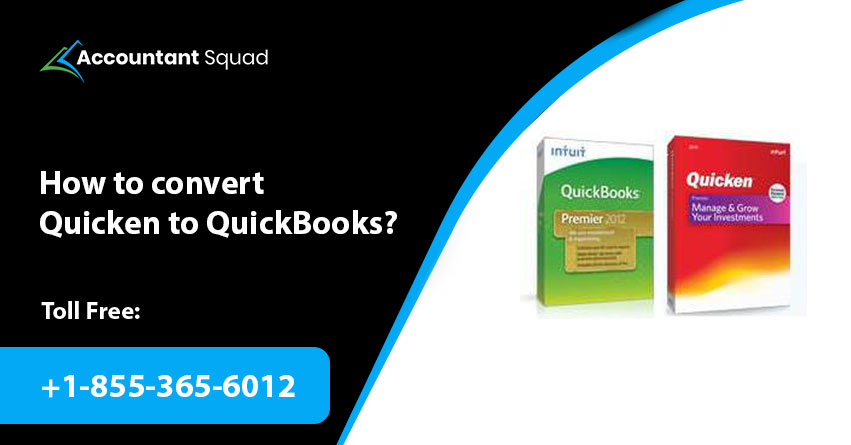
Well, Quicken is one of the popular accounting software when it comes to filing taxes and tax returns. However, there might be instances that compel you to convert Quicken to QuickBooks, as we all are aware of the features and functionalities of the QuickBooks software. QuickBooks has various features over Quicken that can be utilized to run a successful business. So if you are also interested to get the steps to convert Quicken data to QuickBooks Desktop or QBO. This post will surely guide you throughout the process of “How you convert quicken to QuickBooks? Before moving ahead to directly apply the steps, let’s know some points that need to be performed before converting the Quicken software.
Points you should keep in mind before converting Quicken to QuickBooks
- The process of converting Quicken files to QuickBooks is irreversible which means once you have converted the Quicken data to QuickBooks then you will not be able to revert.
- We recommend creating the backup of Quicken data because there might be chances of losing all your data while converting it to QuickBooks.
- If you are currently working with Quicken Mac, then the first thing you need to perform is to convert it into Quicken for Windows. Because you can only convert Quicken windows files to QuickBooks.
Procedure to convert Quicken to QuickBooks Desktop
The following steps will help you in converting Quicken to QuickBooks and guide you throughout to transfer all your Quicken data. You need to apply the following steps respectively to prevent yourself from getting stuck in any issue.
We are going to use the Quicken Converter tool to convert Quicken to QuickBooks. One more thing that you need to consider while converting Quicken “Uninstall another version of Quicken Converter if any.”
You May Read Also: How to Reconcile your bank in QuickBooks Online?
Step 1: Download the Quicken Converter
In this step, you are recommended to install the latest version of the converter tool based on the year version of your QuickBooks Desktop.
- Quicken 2021 Converter
- Quicken 2020 Converter
- Quicken 2019 Converter
- Quicken 2018 Converter
Step 2: Installing the Converter tool and Convert Quicken to QuickBooks
- First of all, open the recently downloaded Quicken Converter and press Next.
- After that, choose I accept the terms in the License Agreement.
- Click on Next.
- Now, choose Next and Install to install the Quicken Converter.
- After installing the converter tool, you need to click on Launch Quicken Converter.
- Choose Finish.
- And then click on I am transferring data from Quicken for Windows and tap on Get Started.
- Choose Open a data file located on the PC and click on File.
- Launch the file that has an extension of .QDF and press are OK.
- Choose Convert it and tap on OK.
- Finally, click on Save to save the new Quicken data file and select Exit.
When your file gets ungraded to the compatible Quicken version, you will be able to convert Quicken by using the Conversion Utility in QuickBooks Desktop.
Step 3: Utilize the Conversion Utility
- First of all, choose File and click on Utilities.
- In the Utility option, you will find the Convert option. Tap on it from Quicken.
- After that, choose the Quicken File (.QDF) that needs to be converted.
- The conversion utility will assist you throughout the process of conversion.
- Finally, go to the Help window by pressing F1 and write “Convert from Quicken”.
Procedure to convert Quicken to QuickBooks Online
According to us, you have learned the process of converting Quicken to QuickBooks Desktop. What if you want to convert your Quicken to QuickBooks Online? No worries at all. Here, we are assisting you throughout the process of converting Quicken to QuickBooks Online.

Step 1: Exporting Quicken Data to a File
In the initial step, you have to export all your Quicken data to a .csv format that will help you in importing it in QuickBooks. If you find any issues while exporting the data, you can take the assistance of our experts. Now, move on to the next step.
Step 2: Importing the file into QuickBooks
- Initially, you need to sign in to QuickBooks Online.
- After that, choose Setting and click on Import Data.
- Now, choose the type of list that you have to import.
- Click on Browse and look for the .csv file.
- And then choose Open. Click on Next.
- A map data will pop up on the screen where QuickBooks identifies the green checkmark.
- Drop-down the menu to map the fields and click on Next.
- Finally, review the data and choose Import.
Step 3: Connecting with the Bank Account
After importing all your data to QuickBooks, you have left with connecting your bank account. Here, you have to categorize the transactions by using bank rules. Now, you are all set to work on QuickBooks Online.
Final Note…!
Expectantly, you have found our post profitable regarding “Convert Quicken to QuickBooks.” For your convenience, we have given all the steps to convert your Quicken to QuickBooks whether you want to get the installation of the QuickBooks Desktop or QuickBooks Online. You can go through our article and find all the relevant steps for converting Quicken data to QuickBooks. In case, you are new to perform all such technical things, we suggest hiring an expert who can perform all these steps on your behalf without hampering your PC. To hire a technician, you can call us at any time by dialing our Quicken Support Phone Number (855-365-6012).
 (0 votes, average: 0.00 out of 5)
You need to be a registered member to rate this.
 Loading...