How To Track Mileage in QuickBooks Online?
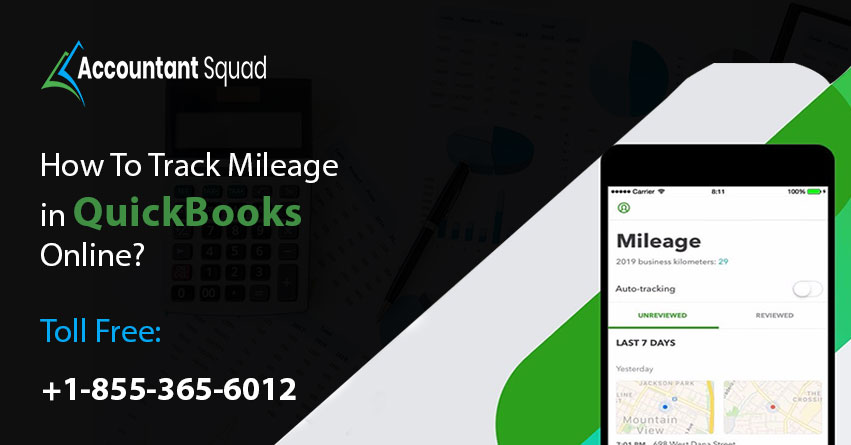
Are you finding difficulty in tracking your car mileage? Does tracking via pen and paper system is creating a hassle for you? If this is the case, then QuickBooks is the perfect solution. QuickBooks offers a tracking mileage feature that will help you to track the mileage of your vehicle. You can use QuickBooks Online mobile app to track your business miles and it will automatically track trips from beginning till the end. You don’t have to sit for hours in front of your PC to manage the miles as it’s all there in the application. The app has everything all the data which is required and the information needed to track mileage. Without any confusion or disruption, you can charge your customer without any disruption. Let’s read the blog and discover the steps of how to track mileage in QuickBooks Online.
Steps to Track Mileage in QuickBooks Online
Just follow these steps and understand the steps to track mileage in QuickBooks Online :
Confirm Driver’s user Permissions
In the beginning, you need to confirm the ‘driver’s user permission’.
Turn on Mileage Tracking
Don’t forget to set up the ‘automatic mileage tracking’ feature. Also, add your vehicles to ‘QuickBooks Online’.
You Read Also : Print Pay Stubs in QuickBooks Online
Track Business Miles
At the time of driving, open your ‘QuickBooks Online mobile app’. Always keep the app open during the trip.
Manually Add a Trip
Steps to add trips manually:
- First, sign in to QuickBooks Online in your ‘web browser’.
- Now, go to the ‘mileage’ or ‘trips’ menu.
- Choose ‘add trip’ option.
- Next, add the ‘trip date’, ‘beginning and ending’ locations, distance, and the purpose too.
- In the end, choose ‘save’.
Categorize Mileage
These steps will help you to review the trip after your destination gets over:
On Android and iOS devices
- First, open the ‘QuickBooks mobile app’.
- Now, choose the menu ☰ icon and then the ‘mileage’ option.
- Next, select the ‘unreviewed’ tab.
- Thereafter, find the trip. You need to swipe left to categorize the trip as Business. Or you can swipe right to categorize it as ‘personal’.
- The next step is to add a purpose for the ‘trip’.
- In the end, choose ‘save’.
On a Web Browser
- Initially, you need to go to the ‘mileage’ or ‘trips’ menu.
- Secondly, find the ‘trip’.
- Thirdly, choose ‘business’ or personal’ for the type.
- Next, simply review the ‘details’.
- In case you want to edit the location or distance, choose more ▼ and then click ‘edit’.
- In the end, make the modifications and then choose ‘save’.
You May Read Also :Credit Card Payments in QuickBooks Online
Steps to Review, Edit, or Export Trips
- First, sign in to ‘QuickBooks Online’.
- Next, proceed to the ‘mileage’ or ‘trips’ menu.
- Choose the ‘all’ or ‘reviewed’ tab.
- Search the trip that you want to ‘edit’.
- The next method is to choose more ▼ and then ‘edit’.
- Make the needed ‘changes’.
- Finally, select save.
Steps to Export Mileage Data
- Initially, go to the ‘mileage’ or ‘trips’ menu.
- Secondly, choose the ‘export’ icon.
In the end, QuickBooks will download your trips to the system as a ‘CSV file’.
Conclusion
The detailed troubleshooting steps are mentioned for How To Track Mileage in QuickBooks Online in the above-mentioned blog. Whenever you come across the challenge of tracking mileage, you can take the help of this blog. Also, accounting software professionals are always ready to provide round the clock assistance. Feel free to get in touch with them and talk about your queries related to it. They will reply to your queries with patience and professionalism.
In case you have any doubt related to How To Track Mileage in QuickBooks Online, dial +855-365-6O12.
Frequently Asked Questions
Ques- How should I pay mileage in QuickBooks Online?
Ans-Follow the below mentioned steps to pay mileage in QuickBooks Online:
- First, you are supposed to choose + New.
- Now, select the pay bills option.
- Next, choose the payment account and the employee.
- Finally, choose to save.
Ques- What are the steps to prove mileage for taxes?
Ans- Steps require to prove mileage for taxes:
- Firstly, confirm you qualify for mileage deduction.
- Secondly, determine a method of calculation.
- Thirdly, record the odometer at the beginning of Tax year.
- If required then maintain the driving log.
- In case needed maintain a record of receipts.
- At end of tax year you need to record the odometer.
- Next, record mileage on tax return.
- Lastly, retain the documentation.
Ques- How should I set up a new vehicle to track mileage in QB Online?
Ans- These steps will help you set up mileage tracking and vehicles in QuickBooks Online:
- At the initial stage, check the driver’s user permissions.
- Secondly, turn on mileage tracking.
- Now, set location permissions for the mobile device.
- Next, add vehicles to QuickBooks.
- The next step is to manage your vehicles.
- Last, you need to track business miles.
Ques- How should I enter a payment type in QuickBooks Online?
Ans- Follow the given below mentioned to enter a payment type in QB Online:
- First, you need to add or change pay types.
- The next task is to choose the payroll menu > employees.
- Now, choose the name of the employee.
- You need to select edit employee.
- Choose to add additional pay types option.
- You have to choose the pay type.
- Last but not least, choose done.
Ques- How does QB self-employed Mileage Auto track works?
Ans- The mentioned below steps will help you to understand the method how QuickBooks employed mileage works:
- The first step is to turn on your mileage tracking. With this, you need to open the QuickBooks Self-Employed mobile app.
- The second step is to select the mileage menu.
- Now, track business mileage.
- Finally, categorize your trips and later on, you can review your trip when you have reached your destination.
 (0 votes, average: 0.00 out of 5)
You need to be a registered member to rate this.
 Loading...