Effective Solutions to resolve Quicken Error Code CC-501
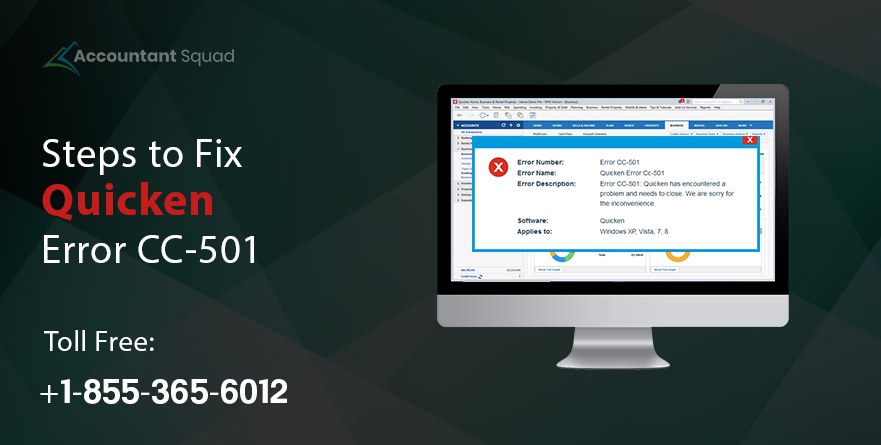
Quicken is one of the user-friendly accounting solutions that is been used for managing financial data by many business owners. You are allowed to handle all your essential bank-related data via an online server with the help of Quicken software. However, sometimes you may get Quicken Code cc-501 while updating the bank account or entering transactions, just like other software. Today, we are going to understand this error in detail.
In the following post, you will get all the possible solutions to eliminate cc-501 error Quicken. In case, you face any difficulties, then get in touch with our experts.
What is Quicken Error cc-501?
Quicken error code cc-501 can take place at the time of updating the Quicken account or updating your bank account. While getting this error on your screen, there is nothing to worry about. For resolving cc-501, you should refresh online account information. This can help you to terminate this error code.
Let’s proceed further to understand the causes behind the error so that you will be able to troubleshoot the error cc-501 accordingly.
You May Read Also : Quicken Vs QuickBooks
Probable causes that may lead to Quicken error cc-501
The following are all the probable causes that may cause Quicken Error CC-501. If you are facing one of the following issues, then go through the complete post to get appropriate solutions.
- You may face the error cc-501 at the time of downloading or installing the Quicken software or the download might be incomplete or corrupted.
- Because of a virus attack, you may get cc-501 error Quicken.
- The speed of the PC becomes slow because of some unwanted junk files.
- Due to using an old version of the Quicken software.
- When you don’t have confirmed your bank credentials, this may also give rise to an issue.
Which solutions can be applied to fix Quicken Error cc-501?
Below –mentioned some of the easy solutions that may help you to resolve the error cc-501. You can follow them one after another to make the software free of issues. Before applying the solutions written below, you are required to update your Quicken software.
You May Read Also: How to convert Quicken to QuickBooks?
Solution 1: Updating the Quicken Software
- Firstly, you are required to launch the Quicken software from your PC.
- Secondly, click on the Help menu and choose to Check for updates.
- After that, you have to click on Install the latest update of the Quicken option.
- Then, choose Yes in order to install the latest updates.
- Finally, you are left to wait until the Quicken software gets updated.
Solution 2: Activating the Quicken Account again
Under this solution, first, you are required to deactivate your Quicken account. And then, you have to activate the account again.
- First of all, click on Tools and choose Accounts List.
- After that, go to the list of accounts and edit the account in which you are facing the error cc-501.
- Then, choose Online Services.
- And then, you need to deactivate the account and choose Yes to confirm.
- Choose Ok & Done.
- After that, choose Validate File.
- Click on Tools and select the Account List.
- Next, correct the setting of the account in which you are getting the error cc-501.
- Click on Online Services and select Setup Now.
- Type the username and password of the financial institution,
- Finally, choose Connect.
Solution 3: Setting the CC Credentials
- First of all, click on Tools and choose Online Center.
- After that, press Shift+ in order to launch CC Credentials.
- Then, you have to follow the instructions to reset CC credentials.
- After resetting credentials, launch the Quicken software and open the account.
- Finally, check whether the error cc-501 is still occurring or not.
Solution 4: Updating your Account Status
- Firstly, click on Tools and choose Online Center.
- After that, you need to look for transactions listed under the transactions list.
- And then, launch the transactions.
- Update your online account.
- Next, reconcile the account and the flag is present or not.
Finally, if you are unable to see the flag, then you will be successful to resolve the error cc-501.
Solution 5: Re-installation of Quicken software
- Firstly, press and hold Windows + R and enter appwiz.cpl.
- After that, look for the Quicken entry and right-click on it.
- Then, click on Uninstall and delete all the temporary files.
- You are required to download and install Quicken.
- Finally, you need to enter the details of your account and check if the error cc-501 is persisting.
Solution 6: Updating Quicken Account Details
- First of all, launch the transactions register in which the error cc-501 is displaying.
- After that, choose the gear icon and click on Update Now.
- Then, follow the instructions in order to complete the update process.
After completing the updates, refresh the Quicken account and check whether cc-501 error Quicken is resolved or not.
To sum up
Confidently, Quicken Error Code CC-501 has been fixed after applying one of the aforementioned solutions. In case, you are facing any issues while attempting any of the provided solutions, then feel free to contact our experts. Our team of certified and experienced experts is always ready to help you out regarding every issue related to Quicken. If you are concerned to talk to our technicians, dial a toll-free Quicken Support Phone Number ( 855-365-6O12).
Frequently Asked Questions
Why is Quicken unable to update transactions?
A: the incorrect Quicken account setting will not let Quicken updating transactions. To correct this, you need to check your bank or financial institution information that has been provided to Quicken. You must know Quicken will not update the account automatically.
Q2: Why is Quicken software not working?
A: the anti-virus or firewall might be blocking Quicken from accessing correctly. Before using Quicken software, you first need to disable the firewall on your system or update the setting to include Quicken as a safe program.
Q3: Can you get a free version of Quicken?
A: According to Intuit Disclosure, personal capital is the free Quicken replacement. It includes almost similar features of Quicken software and money additional tools. This replacement works well for those who are in search of handling money in one place.
Q4: Do you need to purchase Quicken every year?
A: Like other finance software, Quicken has shifted to a subscription model for that you need to pay every year. Sometimes it costs more than the Mac version because of having advanced features like high-end P.C.
Q5: Write down the best alternative of Quicken finance software?
A: There are 8 alternatives are available of Quicken software, which are listed down.
- GoodBudget
- HomeBudget
- Dollarbird
- Pocketsmith
- Need a Budget (YNAB)
- Mint
- Betterment
- Personal Capital
 (0 votes, average: 0.00 out of 5)
You need to be a registered member to rate this.
 Loading...